As you map out your financial future, a savings account can be an essential tool. If you're ready to take advantage of the competitive rates, straightforward terms and top-notch account security of an Ally Bank Savings Account, we have good news: You can open one in just minutes.
Read more: Five visualization tips to help you save more
Before getting started: Gather all necessary documents
Whether you choose to open your new account on the app or online, be ready with the following:
Full name
Social Security number
Mother’s maiden name
Occupation
Contact information: email and primary phone number
Date of birth (you must be 18 years of age)
Residential street address (and previous address, if you’ve lived at your current one for less than five years)
Mailing address (if different from your residential address)
How to open an Ally Bank Savings Account on the app
1. Download the app
Download the Ally Bank Mobile app for easy access to capabilities like depositing checks, transferring funds or finding an ATM on the go.
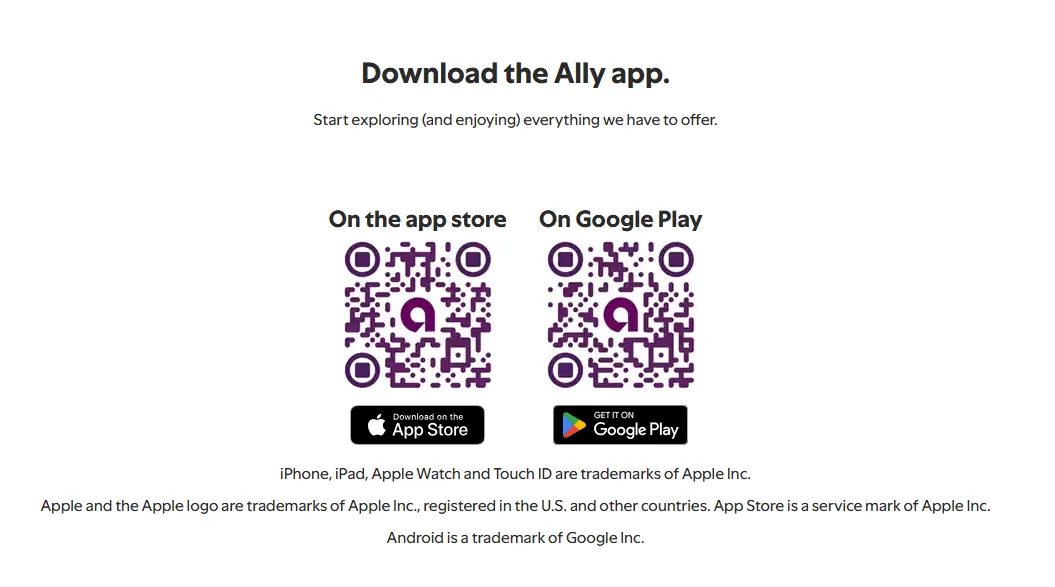
To download the app, open your mobile phone camera from your Home Screen, Lock Screen or Control Center. Point it at one of the two QR codes ( Apple Store or Google Play, depending on your device) and select the link that pops up.
2. When you open the app, select “Explore” in the bottom panel
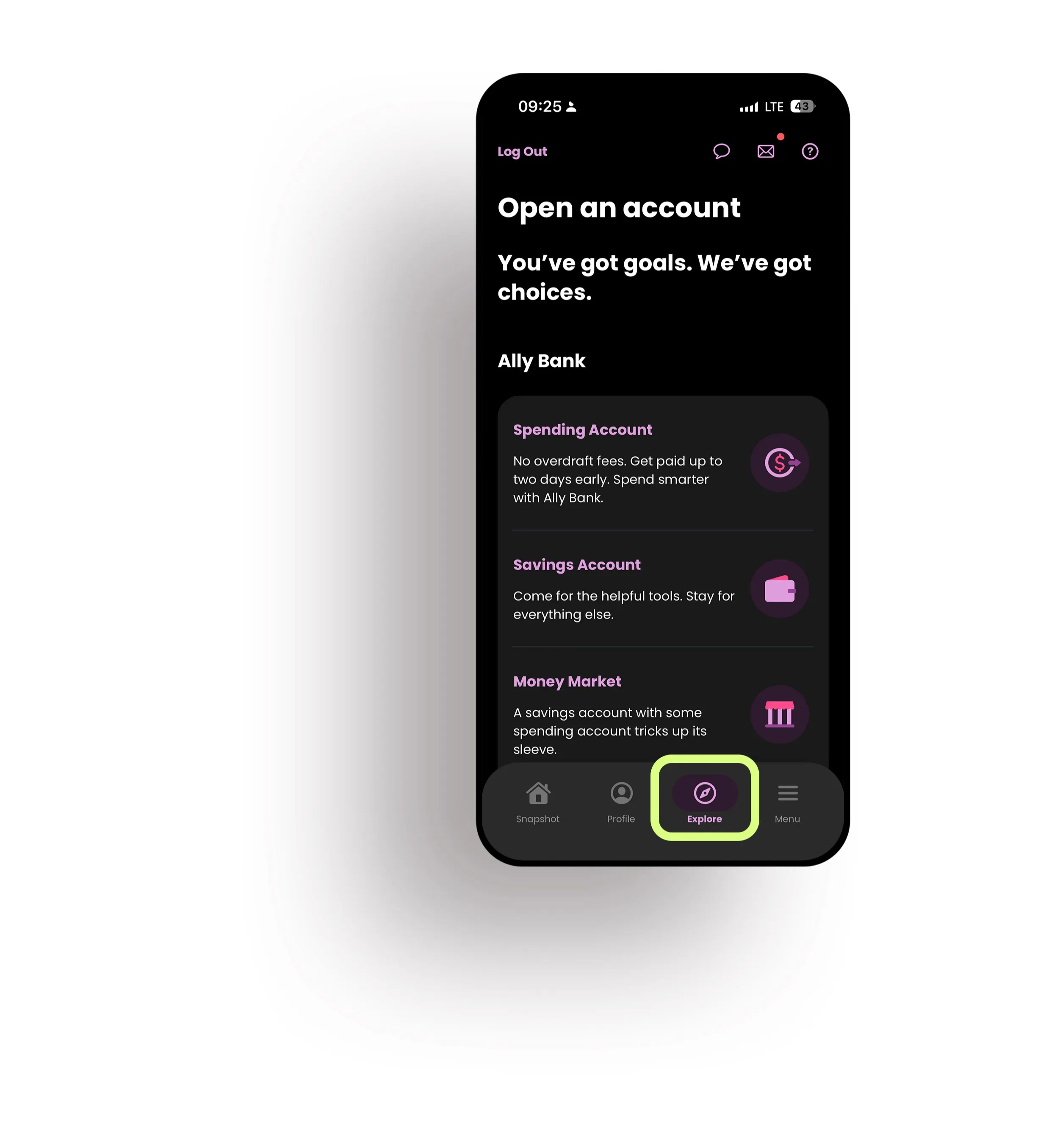
3. Select Savings Account > Open Savings Account

Accurate as of date (06/03/2026). No minimum deposit to open or earn APY. Rate is variable and may change after the account is opened. Fees may reduce earnings.
4. Follow the prompts
From here, you’ll be able to do the following and more:
Create your account
Provide your personal information
Select joint account owners (if applicable)
Submit your application
Fund your account
How to open an Ally Bank Savings Account on desktop
1. Visit the Ally site
Choose “Checking & Savings” from the top menu, then select “Open Account.”
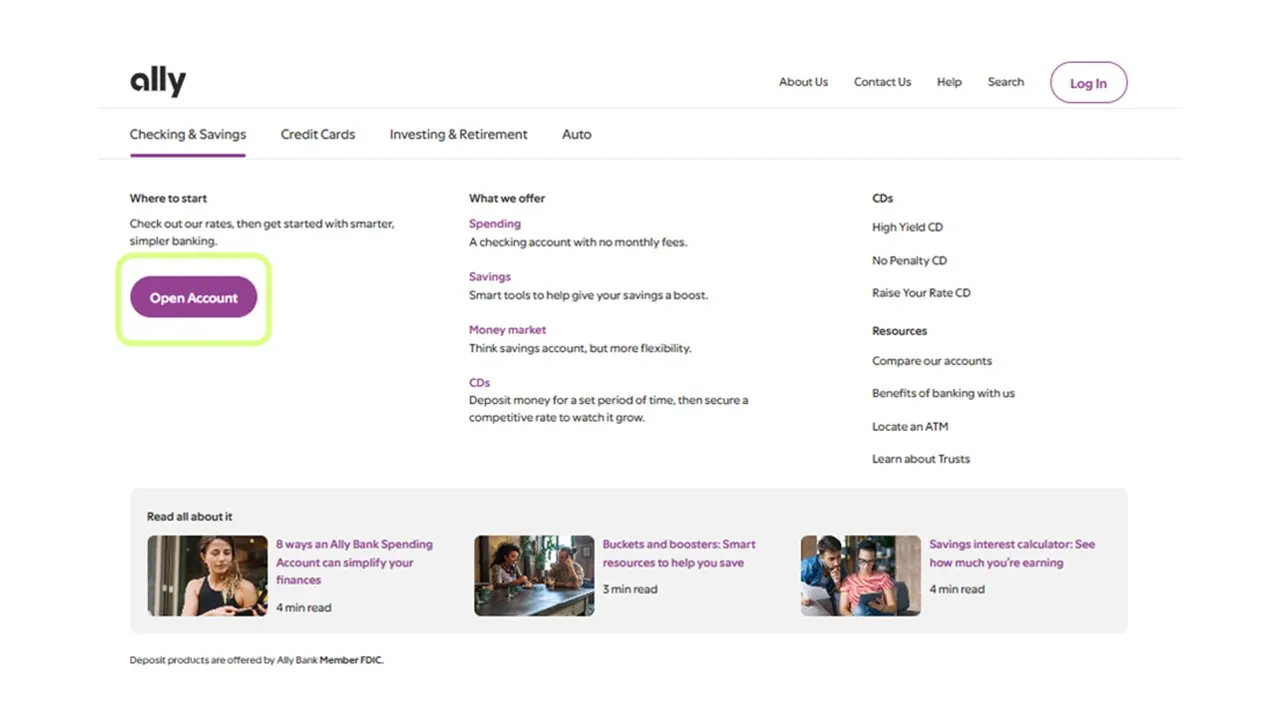
2. Select the account type
Next, you’ll see options for deposit accounts: Spending (Checking), Savings, Money Market and CDs. Tap on “Savings,” then select “Open Account” and indicate whether or not you’re an existing Ally Bank customer.
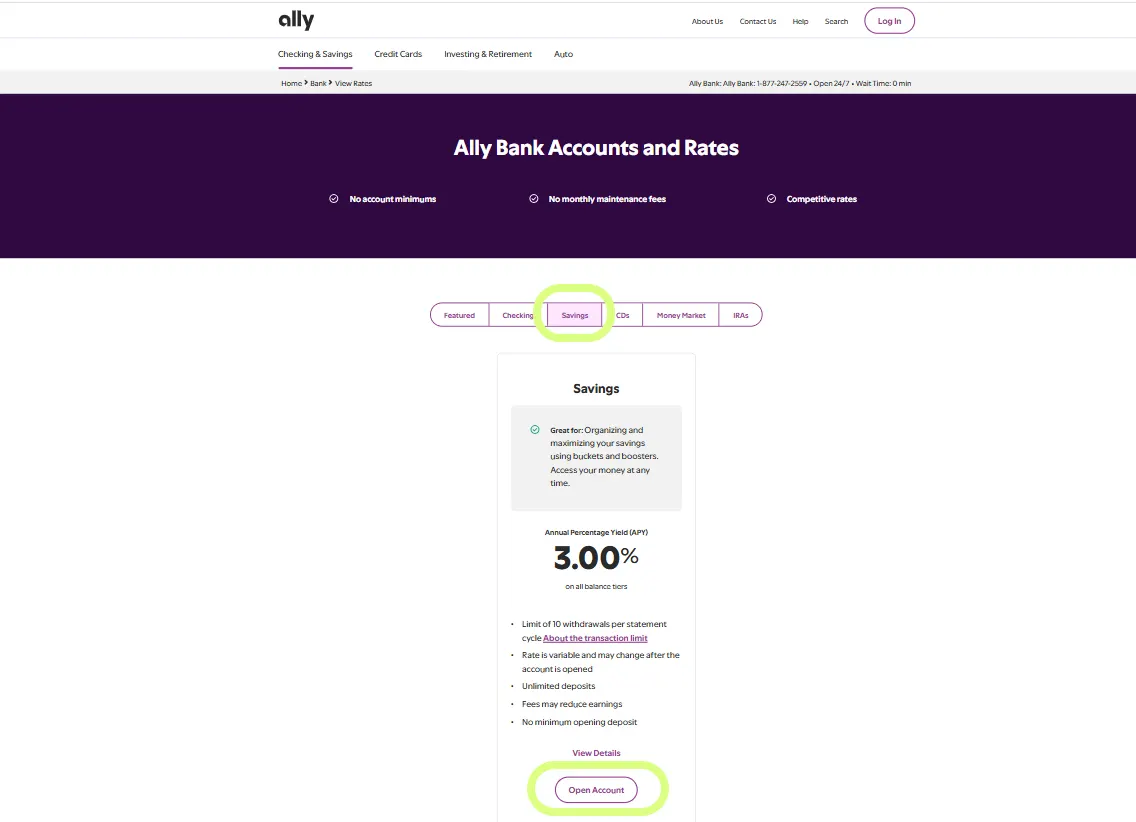
Accurate as of date (06/03/2026). No minimum deposit to open or earn APY. Rate is variable and may change after the account is opened. Fees may reduce earnings.
3. Create your account
Next, you’ll have the option to enter a deposit amount. This is for your own planning, and it isn’t set in stone. Keep in mind: There’s no minimum deposit required to open the account, and you can make an initial deposit for whatever amount you choose once your account is open. When you’re ready to proceed, select “Add This Account.”
4. Follow the prompts
From here, you’ll be able to do the following and more:
Create your account
Provide your personal information
Select joint account owners (if applicable)
Submit your application
Maximize your savings account benefits
Within your Ally Bank Savings Account, you can find features to help you organize, optimize and analyze your money.
Explore savings boosters
Accelerate your ability to save with savings boosters, including:
Recurring transfers: Automatically transfers funds on a schedule that makes sense for you.
Surprise Savings: This booster analyzes your spending to find areas where you could potentially save more and moves that safe-to-transfer money for you.
Round ups: If you have an Ally Bank Spending Account, round ups round your spending up to the nearest dollar and automatically transfer those funds into your Ally Bank Savings Account once you’ve accrued at least $5.
Set up savings buckets
Think of savings buckets as digital envelopes that allow you to break out your money into different categories without the need for multiple accounts. Since they help you contextualize your savings, buckets can help motivate you to save more, whether it’s for your dream wedding or a down payment.
Start saving your way
As part of your introduction, you’ll receive a welcome kit in the mail detailing the terms of your account, instructions for online access and answers to common questions.
If you set up your account on your desktop, download the Ally Bank Mobile app to have your account details right at your fingertips, with easy access to capabilities like depositing checks, transferring funds or finding an ATM on the go. And remember, you can get help with your new account any time at Ally.com or call live, 24/7 customer care at 877-247-ALLY (2559).